Schedule a Free Consultation
HomeiBeacon App Development

iBeacon App Development Company

The Hard Part Was Never the Bluetooth Packet

It is background permissions, signal bouncing off metal and people, and batteries that die quietly two years in. We have shipped iBeacon and BLE proximity apps since the protocol was new, and we will say when beacons are the wrong answer.

Talk to an iBeacon Developer

We only use your info to contact you about your project.

SOC 2 CompliantISO 20000ISO 9001ISO 27001HIPAA CompliantGDPRClutch 5.0 RatingDesignRush 5 Star RatingCapterraGartnerVantaDrataOktaNinjaOneMicrosoft PartnerSophosCisco MerakiVMwareAWS PartnerGoogle WorkspaceDattoSentinelOnePalo AltoSOC 2 CompliantISO 20000ISO 9001ISO 27001HIPAA CompliantGDPRClutch 5.0 RatingDesignRush 5 Star RatingCapterraGartnerVantaDrataOktaNinjaOneMicrosoft PartnerSophosCisco MerakiVMwareAWS PartnerGoogle WorkspaceDattoSentinelOnePalo Alto

Why Clients Choose Our iBeacon App Development Services

We Will Tell You Not to Use Beacons

Roughly a third of the beacon enquiries we receive are better solved with a QR code, an NFC tag or plain GPS geofencing. Beacons require an installed app with location permission granted, which is a steep prerequisite if you do not already have engaged users. We would rather lose the project than build something that technically works and gets no adoption.

Background Behaviour Is the Whole Job

Anyone can detect a beacon with the app open on screen. The engineering is in what happens when the phone is in a pocket, the app was swiped away yesterday, and iOS or Android has decided to throttle scanning to save power. Region monitoring, foreground service strategy and permission recovery flows are where these projects succeed or quietly fail.

We Do the Site Survey

Bluetooth runs at 2.4GHz, which is absorbed by water and therefore by human bodies, reflected by metal shelving, and interfered with by Wi-Fi. A layout that looks fine on a floor plan often behaves badly with three hundred visitors in the room. We walk the space with test hardware and measure before committing to a beacon count and placement.

You Own the Deployment

Code in your repositories, cloud in your accounts, beacon UUID registry documented and handed over, and no dependency on a proprietary platform that bills per beacon forever. If you later want a different vendor to service the fleet, nothing we build stands in the way.

Services

Our Beacon App Development Services

iBeacon app development services covering the whole deployment, from choosing hardware and surveying the site through to the app, the backend and the analytics that prove it is working.

iBeacon Technology Consulting

  • Is a beacon the right trigger at all?
  • Hardware selection and vendor comparison.
  • An honest recommendation, even a negative one.
Explore Consulting →

iOS iBeacon App Development

  • Native Swift with Core Location region monitoring.
  • Correct behaviour when the app is terminated.
  • Permission flows that survive iOS updates.
Explore iOS →

Android Beacon Apps

  • BLE scanning with the beacon payload parsed directly.
  • Foreground services for reliable background work.
  • Tested against per-manufacturer battery restrictions.
Explore Android →

Custom iBeacon Mobile Apps

  • Built around your venue, workflow and content.
  • Wayfinding, guides, check-in and alerts.
  • Offline content so a weak network is not fatal.
Explore Custom Apps →

iBeacon App Integration

  • Beacon awareness added to an app you already own.
  • Works with your existing CMS or content stack.
  • Feature-flagged so you can pilot one site first.
Explore Integration →

Indoor Positioning & Wayfinding

  • Zone-level location where GPS cannot reach.
  • Signal filtering to stop the blue dot jumping.
  • Honest accuracy targets agreed in advance.
Explore Positioning →

Asset Tracking & RTLS

  • Beacons on equipment, fixed gateways listening.
  • Last-seen location, dwell time and zone history.
  • Alerts when something leaves where it belongs.
Explore Tracking →

Beacon Configuration Apps

  • Provisioning tools for UUID, major and minor values.
  • Transmit power and advertising interval tuning.
  • Firmware updates without a vendor portal.
Explore Configuration →

Fleet Management & Cloud

  • Battery health monitoring across every beacon.
  • Silent-failure alerts before anyone complains.
  • Cloud dashboard in your own accounts.
Explore Fleet →

Proximity Alerts & Notifications

  • Triggered messages with strict rate limiting.
  • Quiet hours and frequency caps built in.
  • Designed so people do not disable notifications.
Explore Alerts →

Analytics & Reporting

  • Zone visits, dwell time and journey paths.
  • Privacy-aware, aggregated where possible.
  • Reports that answer whether it was worth it.
Explore Analytics →

Hire iBeacon Developers

  • BLE and Core Location engineers for your team.
  • You interview them before anyone starts.
  • Monthly, scale up or down with notice.
Hire Developers →
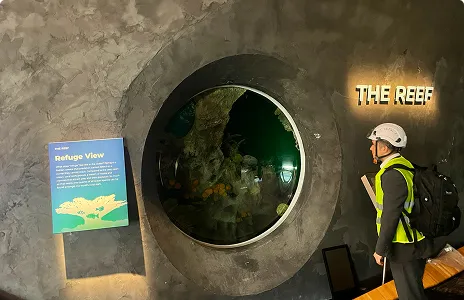
Reviewing beacon placement and detection results with a client team

Tell us the space, not the technology.

Book A Free Consultation ›
Two vendors quoted us a beacon network. AppStudio asked what we were measuring, then said half the building only needed fixed readers on the doors. That halved the hardware bill.
Operations Director, Healthcare Provider

What to Expect From an iBeacon App Development Company

Business Priorities

Fit assessment
Site survey
Background detection
Android effort
Accuracy claims
Battery planning
Hardware lock-in
After launch

Industry Gaps

Every enquiry becomes a beacon project
Beacon count guessed from a floor plan
Demoed with the app open
Priced the same as iOS
Metre-level precision promised
Not mentioned until year two
Proprietary platform, per-beacon fees
Invoice closed, silence

Our Proven Advantage

We say when QR, NFC or GPS is the better answer
Measured on site with test hardware
Tested terminated, backgrounded and throttled
Scoped higher, because it genuinely is
Zone-level targets agreed in writing
Interval and power modelled against fleet life
Standard formats, your UUID registry, your cloud
Fleet monitoring and silent-failure alerts

Global Standards. Built-In Trust.

Proximity data is location data about identifiable people, so it attracts privacy scrutiny that a normal app does not. We design for data minimisation from the start, aggregate where an individual record is not needed, keep retention windows short and documented, and make the consent language match what the app actually does. Background-checked developers, code in your repositories, dependency scanning on every build, and PIPEDA and GDPR aware handling of visitor and staff location records.

ISO 27001
ISO 9001
ISO 20000
HIPAA Compliant
GDPR
AICPA SOC

Book a Free Consultation

Pick a time that suits you. Bring the space and the question rather than a technology choice. Tell us what you want to know about where people or things are, how big the site is, and whether an app already exists, and we will tell you what will work, what it costs and whether beacons are even involved. Half an hour, no charge.

A Top iBeacon App Development Company in Canada

Clients work with AppStudio on proximity projects because we scope them honestly and turn down the ones that will not work. Review boards including Clutch, DesignRush and GoodFirms rate us among the leading mobile app development companies in Canada, and we have been building BLE and beacon applications since the format was introduced.

Clutch DesignRush GoodFirms

The Technologies Our iBeacon Developers Use

Standard platform frameworks and well-maintained open libraries, chosen so your deployment is not tied to one vendor. The positioning group deliberately includes the technologies that have superseded beacons for precision work, because sometimes that is the honest recommendation.

Swift
Core Location
Region Monitoring
Beacon Ranging
App Clips
Wallet Passes
Kotlin
Android BLE Scanning
AltBeacon Library
Foreground Services
Bluetooth Permissions
NFC & QR Fallbacks
React Native
Flutter
Capacitor
Unity
TypeScript
Expo
BLE Beacons
Battery & Interval Tuning
UUID, Major & Minor Mapping
Provisioning Apps
Firmware & OTA Updates
ESP32 & Custom Boards
RSSI & Trilateration
Signal Filtering
UWB & Nearby Interaction
Bluetooth 5.1 Direction Finding
Wi-Fi RTT
GPS Geofencing
Node.js
Python
PostgreSQL
MQTT
AWS & Azure IoT
Push Notifications

Our iBeacon Development Process

Five stages, Assess, Design, Build, Survey and Launch, with a real site survey rather than a floor plan estimate.

Assess

We start by questioning the premise. What decision or experience depends on knowing where someone or something is, how precisely do you actually need to know it, and does an app already exist that people open willingly? This is the stage where we sometimes recommend NFC tags, QR codes or plain geofencing and price a much smaller project. You leave with a written recommendation, a hardware plan and a fixed price per milestone.

Design

Screens and the trigger rules together, because in proximity apps they are the same design problem. What fires, how often, what happens when someone lingers at a boundary between two zones, and what the app shows when Bluetooth is off or permission was declined. Those edge states are most of the interface work and skipping them is the most common cause of a bad launch.

Build

Two-week sprints with detection logic built first, since that is where the risk lives. We instrument heavily during development so we can see exactly which beacon was seen, at what signal strength, at what moment, and reconstruct why a trigger did or did not fire. Guessing about radio behaviour wastes far more time than logging it properly.

Survey

On site with test hardware, measuring signal in the real space rather than trusting a plan. We map coverage, find the reflective and dead spots, test with the room both empty and populated because bodies absorb 2.4GHz, then set transmit power and advertising interval per beacon and finalise placement. This stage routinely changes the beacon count in both directions.

Launch

Store submission, physical installation with a documented UUID, major and minor registry, and staff training. Then fleet monitoring, because the characteristic failure mode of a beacon deployment is silence: a battery dies, nobody notices, and a zone quietly stops working for months. We alert on beacons that have not been seen rather than waiting for a complaint.

Beacon Mobile Technology, Without the 2014 Sales Pitch

The awkward truth about iBeacon app development is that the technology was oversold to an audience that could not use it, and the resulting disappointment made a genuinely useful tool look like a failure. Proximity marketing to strangers never worked, because it required strangers to install an app and grant background location access in order to receive advertising. Almost nobody agreed to that trade.

What did work, and still works, is everything where the app was already wanted. Museum visitors download the guide because it makes the visit better. Warehouse staff use the app because it is their job. A hospital tracks infusion pumps because finding them saves nurses an hour a shift. In those settings beacon technology applications are quietly successful and have been for years.

So our approach is to establish the honest case first. If you have engaged users or a captive audience and an indoor space where GPS is useless, beacons are likely the cheapest reliable answer and we will build it well. If you are hoping to reach passers-by, we will explain why that will not work and what might instead. Either conversation takes half an hour and saves considerably more than it costs.

The most persistent misunderstanding in this field is that a beacon tells you distance. It does not. It broadcasts at a known power, the phone measures received strength, and distance is inferred from the difference. That inference is badly disturbed by anything between transmitter and receiver, and 2.4GHz is strongly absorbed by water, which means by human bodies. A phone in a trouser pocket reads dramatically weaker than the same phone held up, and a room with two hundred people in it behaves nothing like the empty room you tested. Metal shelving and glass create reflections that can make a distant beacon appear closer than a nearby one. This is why Apple exposes coarse proximity buckets rather than a number of metres, and why we design in zones. With filtering, averaging over time and several beacons in view, room-level and aisle-level reliability is very achievable. Metre-level positioning from signal strength alone is not, and anybody promising it either has not measured or is not telling you.
If you genuinely need precision, the answer since 2019 has been ultra-wideband rather than Bluetooth signal strength. UWB measures time of flight instead of inferring from power, which makes it largely immune to the interference that ruins RSSI, and it achieves accuracy in the range of ten to thirty centimetres. Apple has shipped a UWB chip in iPhones since the iPhone 11 and exposes it through the Nearby Interaction framework, and Bluetooth 5.1 added direction finding through angle of arrival for similar reasons. The trade-offs are real: hardware costs more, the anchor infrastructure is heavier, and support across the Android fleet is patchy. For most zone-level use cases beacons remain the pragmatic choice. For robotics, precise indoor navigation or anything safety critical, we will point you at UWB instead of overselling BLE.
Beacon vendors quote battery life ranges that vary by a factor of ten, and the reason is that the two settings you control trade directly against each other. A short advertising interval means the phone sees the beacon quickly and triggers feel instant, but the coin cell drains faster. A long interval stretches battery to several years and makes detection slow and unreliable, particularly for someone walking briskly past. Transmit power behaves the same way, trading range against life. Apple recommends a fast interval for iBeacon, which is right for a museum where you want an exhibit to trigger as the visitor arrives, and wrong for an asset tag on a pallet that only needs checking hourly. We tune these per beacon by role rather than applying one profile everywhere, and we model the fleet replacement schedule before you buy, because a two hundred beacon deployment with an eighteen month battery is a recurring maintenance job that somebody has to own.
The characteristic way beacon deployments die is not dramatic. A battery goes flat, nobody is watching, that zone simply stops triggering, and six months later somebody notices the analytics have been wrong for two quarters. Because a beacon is a transmitter with no return channel, it cannot report its own health, so the monitoring has to be inferential: your app and any fixed gateways report which beacons they have seen and at what strength, and the backend alerts when a beacon that should be visible has gone quiet or when its signal has degraded in a way that suggests a dying cell. We build this in as standard rather than selling it later, because a fleet without it degrades invisibly and the deployment loses credibility inside your organisation long before anyone diagnoses why.
A single-site pilot with an existing app, one zone type and a small beacon count generally runs thirty-five to seventy thousand dollars over six to ten weeks. A full custom iBeacon app across iOS and Android with content management, wayfinding and analytics lands between ninety and two hundred and twenty thousand, with Android reliably costing more than iOS for the reasons described above. An asset tracking deployment with fixed gateways is priced by site count and area rather than as a single number. Hardware itself is usually the small part: commodity beacons run roughly fifteen to forty dollars each, longer-life or ruggedised units more. Budget for battery replacement labour, which is the cost most first deployments forget entirely.
A beacon app is only as good as its permission grants, and both platforms have made those progressively harder to obtain. iOS requires location access for beacon work, offers users a one-time-only option, and periodically reminds them that your app has been using location in the background, which invites second thoughts. Android needs location and, on recent versions, explicit Bluetooth scanning permission. The mistake almost everyone makes is requesting everything on first launch, before the user has any idea why. We ask in context instead, at the moment the feature is about to be useful and with a plain explanation of what it does for them, and we design the app to degrade gracefully rather than break when permission is declined. Handling the recovery path well matters just as much, since a user who declined once can be asked again later if the reason has become obvious.
This is the most common shape of project we see, and it is usually the sensible one. You already have an app with real users, and you want proximity awareness added to it rather than a second app nobody will install. The work divides into detection, rules and content. Detection is the platform-specific part described above. Rules govern what fires and when, including the frequency caps and quiet hours that stop the feature becoming irritating. Content should come from a system your team already updates, because a proximity experience that requires an engineering ticket to change an exhibit label will be stale within a month. We ship these behind a feature flag and pilot at one site, which keeps the risk to your existing app essentially nil.
Every beacon project needs a named owner on your side and it is worth deciding who that is before launch rather than after. Somebody has to hold the UUID, major and minor registry, know which physical beacon is behind which gallery wall, respond when the monitoring flags a dead unit, and re-map the assignments when the space is reconfigured. Museums rehang galleries, warehouses move racking, retailers reset floor plans, and a beacon map that is not maintained becomes actively misleading. We hand over the registry as documentation rather than locking it inside a portal, keep the code in your repositories and the cloud in your accounts, and are happy to do the ongoing fleet monitoring or to train your team to do it.

Proven by Results

Proximity apps that fire when they should.

Book A Free Consultation →
0

weeks to a working single-site beacon pilot

0%

of deployments include an on-site signal survey

0

client reviews across our Canadian and US work

0.8

average client rating

What Our Clients Say About Working With Us

A Glance at Our Portfolio

See the design and engineering depth behind the apps and platforms we have delivered for clients.

iBeacon Applications by Industry

Where beacon mobile applications are genuinely earning their keep, and the specific job they do in each setting.

iBeacon App Development Solutions Built to Last

An iBeacon app development company should be able to tell you where the technology fails as fluently as where it succeeds. That is the difference between a deployment that is still working in year four and one that quietly stopped triggering in month eight and took the internal credibility of the project with it.

We provide iBeacon application development services end to end: the fit assessment, hardware selection, the iOS and Android apps, the beacon configuration and cloud registry, the site survey, the analytics, and the fleet monitoring afterwards. Fixed prices per milestone, code and cloud accounts you own, and a named engineer who has debugged real radio problems in real buildings.

Explore IoT application development, iOS app development, Android development, cross-platform development, wearable technology apps, augmented reality, UI and UX design, or hire iOS developers for your own team.

Book A Free Consultation →
AppStudio team planning an iBeacon proximity deployment

Frequently Asked Questions

For a single-site pilot with an existing app, six to ten weeks is realistic. If the app has to be built from nothing, expect twelve to sixteen weeks to a version you can put in front of real users in the real building. We would rather ship one zone type working reliably than five working occasionally, because a proximity feature that fires unpredictably is worse than no feature at all.
A focused deployment on one site runs six to ten weeks. A full custom app across iOS and Android with content management, wayfinding and analytics is typically four to seven months. The variables that actually move the date are how many physical sites need surveying, whether the content will come from a system you already run, and how quickly you can get us into the building. Radio problems are found on site, not at a desk, so site access tends to be the real critical path.
Yes, and beacon deployments need it more than ordinary apps because there is hardware in the field. Support covers OS-version maintenance as Apple and Google change the location and Bluetooth APIs, fleet health monitoring so a dead battery is caught by an alert rather than a complaint, and re-mapping when the space is reconfigured. It runs month to month at roughly fifteen to twenty percent of build cost per year, and the code and cloud accounts stay yours regardless.
A small Bluetooth Low Energy transmitter that repeats a short packet a few times a second and never listens. The packet holds a proximity UUID, a major value and a minor value, plus a calibrated power figure used to estimate distance. The beacon has no idea who heard it and no connection to the internet. All the intelligence lives in the phone app and your backend, keyed off those identifiers. It is a lighthouse rather than a radio conversation.
iBeacon is Apple’s specific packet format, introduced in 2013, and it is the most widely supported one. Other formats exist and behave the same way physically. Google promoted a competing format called Eddystone and later withdrew the surrounding platform, which is why iBeacon is effectively the default today. Most hardware you can buy will broadcast the iBeacon format, and many units can broadcast several formats at once if you need to support mixed apps.
No, not on iOS, and no longer on Android. Searches for iBeacon push notification without app and beacon push notification without app are among the most common ways people reach this page, and the honest answer disappoints most of them. Google briefly offered beacon-triggered notifications with no app installed through its Nearby platform and shut it down in 2018 because it was overrun by spam. Apple never permitted it at all. A beacon cannot reach a phone unless something on that phone is already listening for it, which means an installed app with location permission granted. If your plan depends on reaching people who have installed nothing, beacons will not deliver it.
No, and the question is worth answering directly because it is asked often, usually phrased as does beacons have a mobile app. A beacon is a transmitter with no screen, no user interface and no internet connection. It broadcasts an identifier and nothing more. There are two separate pieces of software around it: a configuration app used once to set the identifiers and power settings, and your own app that listens for the broadcast and decides what to do. The beacon itself runs neither.
There is one genuinely useful route on iOS. Apple Wallet passes support beacon identifiers, so a pass a customer has already added to Wallet can surface on the lock screen when they are near a beacon you specify. No custom app is required, only that they hold your pass, which is a much easier ask for a ticket, boarding pass or loyalty card. Beyond that, NFC tags and QR codes both work with no app and no battery and are usually the better answer. App Clips let someone run a slice of your app without installing it, though they are launched by codes, NFC or links rather than by beacons.
Reliable at the level of a zone, a room or an aisle. Not reliable to the metre, and anybody quoting you metre accuracy from Bluetooth signal strength has not measured it in a real building. Distance is inferred from received signal power, and that inference is disturbed by human bodies, metal, glass and other 2.4GHz traffic. With filtering and several beacons in view, room-level detection is dependable enough to build on. If you need centimetres, ultra-wideband is the correct technology and we will tell you so.
This distinction decides what your app can do. Region monitoring asks the operating system to tell you when the phone enters or leaves the area of a beacon set, and on iOS it works even if the app has been terminated, because the system relaunches it to deliver the event. Ranging gives continuous distance estimates for beacons currently in view, and it is essentially a foreground activity with only short background windows. Anything that must work with the phone in a pocket has to be built on monitoring, with ranging used once the app is awake.
Yes, noticeably, and it is worth knowing before you compare quotes. Apple built iBeacon into Core Location, so you get region monitoring and system relaunch as first-class features. Android has no equivalent, so you scan for BLE advertisements and parse the packet yourself, normally using the AltBeacon library. Background scanning has been restricted with each Android release, recent versions require explicit Bluetooth scan permissions, and individual manufacturers add their own battery management that can suspend your work. Expect Android to take meaningfully more effort, and be sceptical of anyone pricing the two identically.
Yes for both, with a caveat worth hearing. Cross-platform frameworks handle the app around the beacon logic perfectly well, and there are established React Native iBeacon libraries plus Flutter equivalents. But the detection layer itself is deeply platform-specific and often ends up as native code bridged into the framework, particularly for reliable background behaviour. We are happy to build in React Native or Flutter if that suits your team, and we will be honest that the tricky twenty percent will still be written in Swift and Kotlin.
Yes, and it comes up more than you would think, usually for museum and venue experiences that also want 3D content or augmented reality. Unity handles the experience layer while beacon detection is bridged in from native plugins. If the project is primarily an interactive or AR experience that happens to be location-aware, Unity is a reasonable base. If it is primarily a utility app, a native or React Native build will be lighter and easier to maintain.
Anywhere from several months to five years, and the range is that wide because you control the trade-off. A short advertising interval makes detection fast and drains the cell quicker. A long interval stretches life and makes triggers slow and less reliable for someone walking past. Transmit power trades range against life the same way. We tune these per beacon according to its job, so an exhibit trigger and an hourly asset tag get different profiles, and we model fleet replacement before you buy rather than after.
Genuinely impossible to answer from a floor plan, which is why we survey. It depends on the zone granularity you need, ceiling height, construction materials and how many people are typically in the space. As a rough starting point, one beacon per room or per distinct zone for simple triggering, and three or more in view for any attempt at positioning. Our surveys change the initial estimate in both directions often enough that we no longer quote hardware counts before walking the site.
It depends on the environment rather than the brand. The questions that matter are battery accessibility, whether the casing suits the setting, whether you need waterproofing or tamper resistance, whether firmware can be updated over the air, and whether the vendor will still exist in five years. We work with mainstream vendors and with generic units, and we deliberately avoid designs that only function inside one company’s cloud platform. If you already own hardware, we will almost always work with what you have.
Yes. Vendor configuration tools are usually fine for ten beacons and painful for two hundred. We build provisioning apps that set the proximity UUID, major and minor, transmit power and advertising interval, and record which physical unit went to which location, ideally by scanning a label rather than typing hexadecimal on a ladder. That commissioning record becomes the registry your monitoring and content mapping depend on.
It holds the beacon registry, the zone rules and the content mapping, so changing what a zone does becomes a configuration change rather than an app release. It also collects sightings from phones and any fixed gateways, which is how fleet health monitoring and analytics work. We build this in your own AWS or Azure account rather than on a per-beacon platform, so your running cost does not scale with the size of your deployment.
Yes, and iBeacon location tracking is one of the strongest remaining cases for the technology. The arrangement inverts: instead of fixed beacons and moving phones, you attach beacons to the assets and install fixed gateways that listen. That gives you last-seen zone, dwell time and history for equipment, carts, pallets or bins without anyone carrying a phone. It is how hospitals locate pumps and wheelchairs and how warehouses stop losing tooling, and the return is usually measured in recovered staff hours.
For zone-level guidance, yes, and it is a legitimate use where GPS is unavailable. Turn-by-turn indoor navigation with a smoothly moving position marker is much harder than it looks, because signal-based position estimates jump and a jumping marker destroys user trust immediately. It needs dense beacon coverage, sensor fusion with the phone’s compass and accelerometer, and heavy filtering. We will build it, and we will set expectations about smoothness honestly before you commit.
They solve different problems and are complementary rather than competing. GPS is free, needs no hardware, and works well outdoors at accuracy of a few metres, which is why we often recommend geofencing instead of beacons for coarse outdoor triggers. Indoors GPS degrades badly or fails entirely, which is exactly the gap beacons fill. A common sensible design uses GPS geofencing to detect that someone has arrived at the site and starts beacon scanning only then, which saves battery and simplifies the logic. As a GPS app development company as well, we are comfortable building either or both.
Museums are one of the best environments for the technology, and iBeacon museum apps have been running successfully for a decade. The reason is that the prerequisite is already satisfied: visitors download the guide willingly because it improves the visit, dwell times are long enough for detection to be dependable, and the content is genuinely location-specific. iBeacon technology in museums typically triggers audio and interpretation as a visitor reaches an artwork, replacing handset rentals and numbered keypads.
Three things, all of them manageable if anticipated. Galleries get rehung, so the beacon to artwork mapping must be editable by curatorial staff rather than requiring a developer. Historic buildings are full of stone, glass and metal that reflect and absorb signal in ways a floor plan cannot predict, so the survey matters more than usual. And a busy gallery behaves very differently from an empty one, because visitors absorb 2.4GHz, so testing must happen with crowds present. We also make audio content available offline, since gallery Wi-Fi is rarely dependable.
Yes, this is a common arrangement and often the right one when you own the product long term. You can hire iBeacon developers from us monthly, interview them yourself before anyone starts, and scale the team up or down with a month’s notice. Whether you want to hire iBeacon developer capacity for a single sprint or hire iBeacon app developer skills for a year, the terms are the same. Our iBeacon app developers have shipped Core Location and Android scanning work in production, which is a meaningfully smaller pool of people than general mobile developers.
Ask three specific questions and the answers will sort candidates quickly. Ask them to explain the difference between region monitoring and ranging, and what each can do when the app has been killed. Ask what they would expect signal strength to do when a room fills with people. Ask how they would detect that a beacon in a ceiling void has gone flat. Anyone who has actually shipped a deployment answers all three immediately, and anyone who has only read the documentation will not. That is a better filter than any list of frameworks.
Rates vary by region more than by capability. Canadian and US senior mobile engineers with genuine BLE experience typically run higher than generalist rates because the skill is scarcer. If you are comparing an iBeacon developer for hire from an offshore firm against a local team, compare who will be on the site survey, who is accountable when detection fails in a specific room, and what timezone overlap you get for debugging. The radio problems are the expensive part and they need someone who can be in the building.
Yes, plenty, and rates there are typically a third to a half of North American ones. If your project is mainly the app around straightforward detection, that can work well. Where it tends to struggle is the physical half: site surveys, signal debugging in your actual building, hardware commissioning and staff training all benefit enormously from somebody being present. Some clients split it sensibly, keeping survey and hardware work local while an offshore team builds the app. We are transparent that we are not the cheapest option and that our value is concentrated exactly in the parts that need someone on site.
Yes. iBeacon development Winnipeg organisations need is usually warehousing, healthcare or cultural, and all three are strong fits for the technology. We do the app, backend and fleet work remotely and schedule site survey and installation visits in blocks so travel is efficient rather than weekly. Beacon device services such as commissioning, labelling and battery replacement can be handled during those visits or trained into your own facilities team, which most Manitoba clients prefer for the long run. There is a dedicated Winnipeg app development page if you want the wider picture.
Across Canada and the United States. Our offices are in Toronto and San Francisco, and we have delivered proximity and IoT work in Vancouver, Ottawa, Calgary, Winnipeg and Montreal as well as several US states. Clients who find us searching for iOS app development Toronto often turn out to need exactly this kind of location-aware work, since the two overlap heavily. The app and cloud work is location independent. The parts that benefit from presence are the survey and the installation, so we plan those as scheduled visits and are upfront about travel in the quote rather than adding it later.
We are members of the Apple Developer Program, as any firm publishing to the App Store must be. It is worth clarifying what Apple’s licensing actually covers, since the question comes up often: Apple licenses the iBeacon name and mark to companies manufacturing beacon hardware. Building an app that listens for beacons needs no special licence beyond normal App Store membership. If you are planning to manufacture and brand your own iBeacon hardware, that is when the licensing conversation with Apple becomes relevant.
Yes, and this is usually the smart approach. A second app that exists only for proximity will not get installed. We add detection, trigger rules and content to your existing app behind a feature flag, pilot it at a single site, and expand once the detection numbers hold up. The risk to your current users is close to zero because the feature is off until you turn it on, and we can work alongside whichever team maintains the app today.
By treating restraint as a design requirement rather than an afterthought, because this is precisely what killed beacon marketing the first time. Every trigger gets a frequency cap, a cool-down period and quiet hours. We suppress repeats for someone who lingers near a zone boundary, and we require that each message be genuinely useful at that place and that moment rather than merely possible. If a user disables your notifications you have lost the channel permanently, which makes the sending of one message too many far more expensive than sending one too few.
Proximity data is location data about identifiable people, so it deserves more care than a typical app feature. We design for minimisation, collecting only what the feature needs, aggregate wherever an individual record is unnecessary, set short and documented retention windows, and make sure the consent language matches what the app actually does. For staff tracking in particular, being transparent with the workforce about what is recorded and why is not merely a legal matter, it determines whether the system is accepted or quietly sabotaged.
Yes, all of it. Code in your repositories from the first commit, cloud in your accounts, and the UUID, major and minor registry handed to you as documentation rather than held inside a portal we control. That registry is the map between hexadecimal identifiers and physical places in your building, and it is the single most valuable artefact of the deployment. Any vendor reluctant to hand it over is worth questioning closely.
Frequently, and it is one of our more satisfying pieces of work. We audit which units are still transmitting and how strongly, rebuild the registry against the physical reality of the building, identify the dead and dying, and put monitoring in place so it does not silently degrade again. Usually a fortnight or so of effort, and it often revives a system the organisation had already written off, at a small fraction of starting over.
Almost every phrasing, and they all describe the same thing. We are found as an iBeacon company, an iBeacon application development company, a beacon technology provider and a proximity alert mobile application development company, and clients searching for the best iBeacon app development company or beacon technology companies generally arrive at the same shortlist. On the product side the vocabulary is just as varied: iBeacon software, iBeacon apps, an iBeacons app, apps for iBeacon, iBeacon app solutions and beacons applications all point at the same build. If you are reading Apple’s material as iBeacon for developers and want a second opinion on what it means in practice, that is a good half-hour conversation.
Yes, before any detailed discussion if you prefer. Send yours or use ours. Site plans, floor layouts and operational detail are sensitive, and nobody should have to share them on trust.
Book a free consultation. Half an hour, no charge. Bring the space and the question rather than a technology decision. Tell us what you need to know about where people or things are, how large the site is, and whether an app already exists. We will tell you what will work, roughly what it costs, and if beacons are the wrong answer we will say that too.

Build. Launch. Grow.

Work with an iBeacon app development company that surveys the building, prices per milestone and tells you when beacons are the wrong answer. Book a free consultation and describe the space.

Book A Free Consultation →
Team reviewing an indoor proximity and asset tracking rollout

Request a Consultation

Tell us about the space, what you need to know about location, and whether an app already exists. One of our engineers will come back with an approach and a cost range rather than a brochure.

Contact now