Schedule a Free Consultation
HomeKiosk Application Development

Custom Kiosk Application Development

Kiosk Application Development Company in Canada | Interactive Kiosk Software That Stays Up

AppStudio builds custom kiosk application software for interactive and self-service booths. Android lock-task and kiosk mode, remote management, payments and accessibility, designed so a unit in the field does not become a support ticket. Kiosk software development from Toronto, for operators across Canada.

Talk About Your Kiosk Project

We only use your info to contact you about your project.

SOC 2 CompliantISO 20000ISO 9001ISO 27001HIPAA CompliantGDPRClutch 5.0 RatingDesignRush 5 Star RatingCapterraGartnerVantaDrataOktaNinjaOneMicrosoft PartnerSophosCisco MerakiVMwareAWS PartnerGoogle WorkspaceDattoSentinelOnePalo AltoSOC 2 CompliantISO 20000ISO 9001ISO 27001HIPAA CompliantGDPRClutch 5.0 RatingDesignRush 5 Star RatingCapterraGartnerVantaDrataOktaNinjaOneMicrosoft PartnerSophosCisco MerakiVMwareAWS PartnerGoogle WorkspaceDattoSentinelOnePalo Alto

Why Invest in Custom Kiosk Software Development?

The Unit Has to Survive Alone

A kiosk sits in a lobby, mall or clinic with no staff standing next to it. When the UI hangs, the session soft-locks, or the app drops out of lock-task mode, the next visitor is stuck and your phone starts ringing. We design custom kiosk software so the application recovers, restarts cleanly and keeps serving without a field visit.

Lock It Down Properly

Android kiosk mode and lock-task are not a wallpaper setting. Visitors must not reach the home screen, settings, notifications or other apps. Our kiosk android app development work configures device policy, pinned tasks and allowed intents so the only thing on screen is the experience you intended.

Manage the Fleet From the Desk

Sending a technician to reboot a booth is how support costs explode. Kiosk management software with remote content push, health telemetry, staged rollouts and remote logs is how you cut field failures. We build that layer into the first release rather than promising it after launch.

Software, Not Sheet Metal

We are a kiosk application development company, not a kiosk manufacturer. Ranking searches for kiosk manufacturers Canada often land here, so we say it plainly: we build the application and integrate with partner hardware. If you need cabinets, mounts or OEM sourcing, we hand off cleanly rather than pretending to fabricate steel.

Services

Kiosk Software Development Services Built for Field Reality

Kiosk software development services across design, build, lock-down and remote operations. Take a full custom kiosk software project from one kiosk development company, or add our kiosk software developers to a team you already have. Kiosk application development, kiosk app development, kiosk design and development services and digital kiosk software briefs all land in the same practice.

Custom Kiosk Software Development

  • Custom kiosk software built to your workflow.
  • Not a template with your logo pasted on.
  • Source, schema and build scripts handed over.
Explore Custom Kiosk →

Kiosk Android App Development

  • Android lock-task and dedicated device mode.
  • How to create kiosk application Android done properly.
  • Native builds, not a fragile web wrapper alone.
Explore Android Kiosk →

Interactive Kiosk UI & Native Design

  • Native kiosk design for touch-first sessions.
  • Large targets, clear flows, timeout recovery.
  • Accessibility for visitors who need it.
Explore Kiosk Design →

Kiosk Management Software

  • Remote content, config and app updates.
  • Health checks, alerts and remote logs.
  • Staged rollout with rollback when a release fails.
Explore Remote Manage →

Payments at the Booth

  • Card present flows for self-service lanes.
  • Interac, Visa and Mastercard where required.
  • PCI scope kept out of your application where possible.
Explore Payments / POS →

Healthcare Kiosk Software

  • Check-in, wayfinding and intake flows.
  • Privacy handled to clinic policy.
  • Healthcare kiosk software development done carefully.
Explore Healthcare Kiosk →

Retail & Self-Service Solutions

  • Order, lookup and self-checkout style flows.
  • Catalogue and promotion content from your backend.
  • Handoff to POS when the till is the better fit.
Explore Retail Self-Service →

Casino & Entertainment UI

  • Casino kiosk software for ticketing and info.
  • Interactive kiosk game style UI, honestly scoped.
  • We are not a game studio; we build operator UI.
Explore Entertainment UI →

Digital Kiosk & Signage Software

  • Digital kiosk Canada content and media loops.
  • Directory, map and visitor information screens.
  • Scheduled content without a truck roll.
Explore Digital Kiosk →

Hardware Partner Handoff

  • Integrate with Elo, Sunmi, PAX and similar.
  • We do not manufacture physical kiosks.
  • Clean handoff with manufacturers and AV partners.
Explore Device / IoT →

Kiosk Testing & Soak QA

  • Session timeouts, soft-lock and crash recovery.
  • Peripheral tests on real touch hardware.
  • Overnight soak before a public floor opens.
Explore Kiosk QA →

Modernisation & Rebuild

  • Replace fragile Windows or web-only booths.
  • Migrate content and integrations carefully.
  • Site by site cutover, never the whole estate at once.

Explore Modernisation →

Kiosk Software Solutions That Hold Up After Go-Live

Three decisions account for most of the difference between interactive kiosk software that stays useful and a booth that becomes furniture. None of them is about animation polish, and all three are usually made before anyone writes code.

1. Lock-Task Is the Product Boundary

If a visitor can reach the launcher, your kiosk application is unfinished. Android lock-task, device owner policies and allowed packages define what the unit is allowed to do. Retrofitting that onto a consumer tablet app is painful, which is why we treat kiosk mode as a first-class requirement rather than a launch checkbox.

2. Remote Management Is Not Optional

A fleet you cannot update is a fleet that drifts. Content changes, security patches and crash fixes have to ship without someone driving to every site. Kiosk management software and MDM-style controls belong in the first release, even when you only have ten units today.

3. Hardware Partners Build the Shell

AppStudio builds the application software. Cabinets, mounts, power, cameras and OEM sourcing sit with kiosk manufacturers and AV integrators. We integrate to their devices, document the handoff, and stay in our lane. That honesty keeps projects on schedule and keeps ranking expectations clear when buyers search for manufacturers.

There is a fourth thing worth saying plainly. If you need a full product company around a kiosk concept, from discovery through growth, talk to us about broader product work. For a booth that takes payments and rings sales like a till, our POS software development practice is often the better home. We will tell you which brief you actually have before quoting.

Engagement Models

Three Ways to Work With Our Kiosk Developers

Fixed-Price Kiosk Build

  • Agreed scope and price, milestone payments.
  • Lock-task and remote manage written into the plan.
  • Working build on real hardware each milestone.
Explore Fixed Price →

Dedicated Kiosk Development Team

  • Hire kiosk developers into your own process.
  • Monthly rate, thirty days notice either way.
  • Android and device policy experience included.
Hire Android Developers →

Support & Fleet Retainer

  • Content updates, monitoring and OS upgrades.
  • Crash triage without a field visit first.
  • For a digital kiosk estate already live.
Explore Retainers →
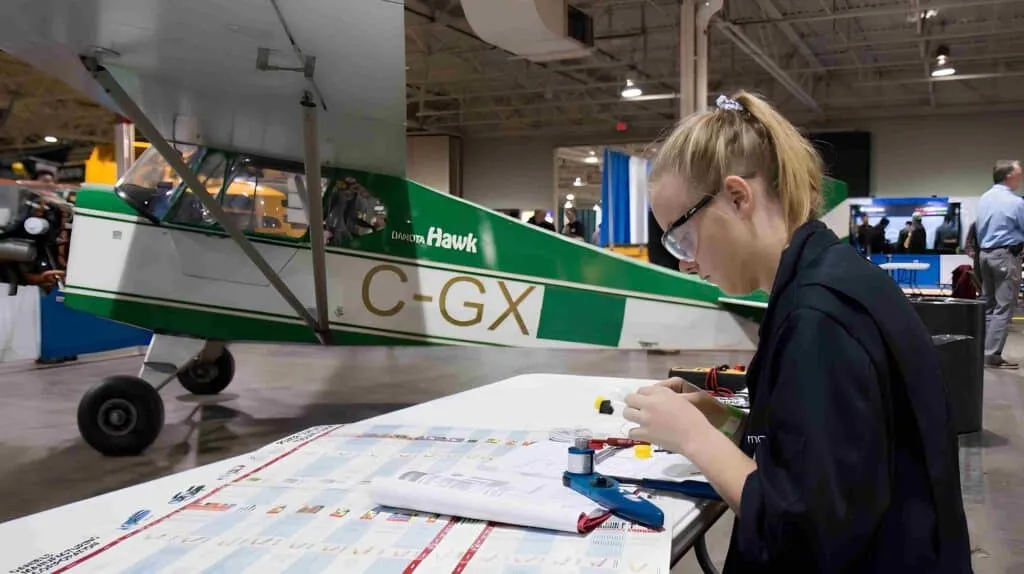
Kiosk software developers testing an interactive kiosk application on touch hardware

Ask what happens when a visitor walks away mid-session and the next person walks up.

Book A Free Consultation ›
Our old booths needed a reboot every other day and someone had to drive out to do it. AppStudio rebuilt the application with proper lock-task and remote management. Support tickets dropped and the floor units stay online.
Operations Lead, Multi-Site Retail, Toronto

Why Choose AppStudio for Kiosk Application Development?

Business Priorities

Device lock-down
Session recovery
Remote updates
Hardware
Payments
Accessibility
Who owns it

Industry Gaps

Consumer app with kiosk wallpaper
Blank screen until reboot
USB stick or truck roll
Assumed to just work
Bolted on late
Afterthought contrast tweaks
Vendor holds the keys

Our Proven Advantage

Android lock-task and device policy
Timeout, reset and auto-restart
Staged push with rollback
Integrated with partner devices early
Scoped with PCI and Interac in mind
Touch targets and assistive paths planned
Your repos, your device policies

Global Standards. Built-In Trust.

Interactive kiosks collect visitor data, process payments and often sit in regulated environments. We design with privacy and PCI scope in mind, keep card data out of your application where a semi-integrated reader allows it, and map data handling against SOC 2, GDPR and Canadian privacy expectations when healthcare or banking stakeholders need to review it. Our developers work under signed NDAs with IP assignment before day one.


ISO 27001
ISO 9001
ISO 20000
HIPAA Compliant
GDPR
AICPA SOC

Book a Free Consultation

Pick a time that suits you. Tell us how many units you run, which hardware you are on, whether you need payments, and what remote management looks like today. You will get a straight view on architecture, lock-task approach, scope and whether custom kiosk software is the right spend. No charge and no obligation.

A Kiosk Development Company Operators Come Back To

Retail, hospitality and clinic operators work with AppStudio because we plan lock-task and remote management before we plan animations. Review boards including Clutch, DesignRush and GoodFirms rate us among leading development firms. When a kiosk needs a till behind it, our POS software development and Android app development teams work on the same programmes.


Clutch DesignRush GoodFirms

The Kiosk Stack We Build On

Standard, well supported components, because a kiosk estate has to be maintainable by someone other than us in five years. Devices are chosen for lock-task support and MDM quality rather than the cheapest consumer tablet, which is a mistake worth avoiding when you are buying a hundred of something.

Android
Kotlin
Java
React Native
Flutter
Progressive Web
Android Lock Task
Android Enterprise
Elo & EloView
Sunmi & PAX
Windows Kiosk Mode
Chrome Kiosk
Touch & Multi-Touch
Barcode Scanners
Receipt Printers
Card Readers
Cameras & OCR
Accessibility Input
EMV & Interac
Stripe Terminal
Square
Moneris
PCI Scope Design
Tokenised Vaults
MDM / EMM
Android Management API
Remote Content Push
Health Telemetry
Staged Rollouts
Remote Logs
AWS
Microsoft Azure
PostgreSQL
Redis
REST & GraphQL APIs
CMS & Media

Kiosk Application Development, the AppStudio Way

Our kiosk delivery runs in five phases, Assess, Design, Build, Harden, and Roll Out, with lock-task and remote management planned alongside the UI rather than bolted on at the end.

Assess

Project assessment, business insight and estimation, and an NDA before anything sensitive is shared. We establish how many units and sites, which hardware partners you use or prefer, whether payments and accessibility are in scope, what happens when a session is abandoned, and how you update content today. Plenty of engagements conclude here that a simpler digital signage player plus a form is enough, and we say so.

Design

Wireframing, prototyping and native kiosk design for a visitor who has never seen your brand before. Large targets, short paths, bilingual needs where required, and clear timeout behaviour. In parallel we settle lock-task policy, session reset rules, content architecture and the remote management model. Design and device policy are approved together.

Build

Product development in two-week increments, each one delivered on the actual touch hardware rather than a phone emulator alone. Scanners, printers, card readers and cameras are integrated early, because peripheral surprises are a common cause of a slipped kiosk milestone. Build kiosk application work here means a locked session you can leave on a floor, not a demo deck.

Harden

Quality assurance focused on the failure modes that create field tickets: soft-locks, crash loops, network drops mid-flow, printer jams, abandoned sessions and overnight soak. Payment certification runs when card present is in scope. Accessibility checks cover contrast, target size and assisted paths where your operators require them.

Roll Out

Deployment site by site, never the whole estate at once, with the first units treated as a pilot. Remote management is live so future content and app updates ship with staged rollout and rollback. Post-deployment support covers OS upgrades, partner SDK changes and seasonal content peaks.

What Actually Decides Whether a Kiosk Estate Works

Every kiosk vendor can list touch screens, multimedia, virtual keyboards and remote content. We build all of that. But a feature list is not why interactive kiosks Canada projects succeed or fail, and pretending otherwise is how operators choose a vendor on a comparison table and regret it when the first weekend of support tickets arrives.

What actually separates a kiosk software solution Toronto operators trust from one they unplug is the unglamorous half: whether the app stays in lock-task, whether an abandoned session resets, whether content can change without a truck roll, and whether payments stay out of unnecessary PCI scope. AppStudio spends most of its engineering effort there.

The sections below cover the parts of kiosk development that rarely appear in a proposal and reliably decide the outcome. If you are evaluating kiosk software developers, these are reasonable things to interrogate them on.

Dedicated device mode, lock-task packages, blocked intents and a watched process that restarts when the app dies. A consumer tablet with auto-start is not a kiosk. When buyers ask how to create kiosk application Android work that survives a curious visitor, this is the answer, and it has to be designed with the UI rather than after it.
People walk away mid-form, mid-payment and mid-wayfinding. The next visitor must land on a clean home state with no leftover personal data. Idle timers, privacy screens and forced reset after payment or print jobs are not polish. They are how you avoid leaking the previous person’s information onto a public screen.
Content calendars, config flags, app version floors and crash logs belong in a console operators can use. Kiosk management software is how you reduce support costs and eliminate field failures without hiring more technicians. If your vendor cannot push an update to fifty units without a USB stick, plan for that cost now.
If the booth takes cards, treat payment like POS work. Semi-integrated readers, tokens back to your app, and Interac where Canada requires it. When the workflow is really a till, our POS software development company practice owns the deeper certification path. Do not invent a second payment architecture inside a kiosk UI.
We integrate with partner devices. We do not fabricate cabinets. Searches for kiosk manufacturers Canada often expect sheet metal and mounts; we introduce hardware partners and stay on the software side. That handoff is documented so installers know which APK, which policy and which peripheral map the unit needs.
Casino kiosk software and interactive kiosk game style screens mean ticketing, player info, promotions and light interactive UI. Digital kiosk game developers searching for a full game studio will need a different partner for engine-level titles. We build operator-facing entertainment interfaces and keep the claim accurate.
A single-site custom kiosk application with lock-task and remote management generally starts around seventy-five thousand Canadian dollars. A multi-site platform with content console and payments is usually one hundred and eighty thousand upward. Adding card present certification is often twenty to forty thousand depending on processor and device. Fleet retainers commonly run five to eighteen thousand a month depending on unit count.

Proven by Results

Every milestone delivered on the touch hardware your visitors will actually use.

Book A Free Consultation →
0+

years building field and retail software

0%

source, schema and device policies in your name

0/7

units designed to stay serving without babysitting

0.8

average client rating across 240 reviews

How We Deliver Value, in Our Clients’ Words

A Glance at Our Portfolio

See the design and engineering depth behind the systems we have delivered for clients.

Interactive Kiosks Canada, Built From Toronto

Our head office is on Bay Street in Toronto, with a second office in San Francisco. Kiosk application and Android lock-task engineering works out of Toronto.

Toronto and the GTA

Interactive kiosks Toronto work is the core of our practice. Touch hardware has to be handled, peripherals have to be wired, and a pilot lobby needs someone who can be on site the same morning. Kiosk software solution Toronto clients across retail, hospitality and clinics get engineers who can stand in front of the unit, which is not something a remote-only vendor offers when a booth is down on a Saturday.

Vancouver and Canada Wide

We deliver interactive kiosks Canada programmes nationally, with light Vancouver coverage as part of west coast rollouts. Digital kiosk Canada estates that span provinces get one content and device policy model rather than a patchwork of local scripts. Interac, privacy expectations and bilingual needs are familiar territory rather than research we bill you for.

United States and Cross-Border

Our San Francisco office covers Pacific hours for United States operators. Cross-border estates are common. Payment rails, tax and accessibility requirements differ, so a single codebase can serve both only if those layers were designed for it from the beginning.

Type of workTypical range, CADUsual timeline
Kiosk architecture and feasibility assessment7,000 to 16,0002 to 3 weeks
Single-site custom kiosk application75,000 to 150,0004 to 7 months
Multi-site kiosk platform with remote manage180,000 upward7 to 14 months
Android lock-task app on existing backend45,000 to 110,0003 to 5 months
Card present payment integration20,000 to 40,0006 to 14 weeks
Support and fleet retainer5,000 to 18,000 monthlyOngoing

Enquiries reach us worded a dozen different ways and land in the same team. Kiosk software development, kiosk software development company, kiosk software development services, kiosk software developers, kiosk software solutions, custom kiosk software, custom kiosk software development, custom kiosk app, kiosk application development, kiosk app development, kiosk applications, kiosk development, kiosk developer, kiosk development company, kiosk design and development services and build kiosk application all describe this service.

When the brief is really a till, start with our POS software development company page. For lock-task depth, see Android application development and hire Android app developers. Device and sensor work may also sit with IoT application development.

Who We Build Kiosk Applications For

Custom kiosk software earns its cost where the public flow is high and staff cannot stand beside every screen. These are the sectors where we see that most.

Choosing Among Kiosk Development Companies

Comparing kiosk development companies on a feature matrix is close to useless, because every vendor ticks touch, multimedia and remote content. The differences that matter are operational and they are invisible in a demo, because a demo is always run with perfect WiFi and a freshly restarted app.

So ask harder questions. Ask what happens when a visitor walks away mid-form. Ask whether the home screen is reachable. Ask how an update reaches eighty units. Ask who manufactures the cabinet and who owns the APK. Ask to see lock-task policy, not only UI mockups. Most kiosk developers cannot answer the first three, and those three decide your support cost and uptime.

Start with a free consultation, or read about our POS software development, Android app development, IoT application development, UI/UX design, healthcare app development, or custom software development services.

Book A Free Consultation →
Kiosk application development company team reviewing an interactive kiosk rollout plan

Frequently Asked Questions

The primary development reason is to ensure a high-quality customer experience at a nominal cost. Kiosks companies have their apps and can customize the services to fit the needs and specifications. This personalized Kiosks self-service app solution helps reduce expense and time consumption.
For finding the cost, the critical factor is to find out the kiosk specialties. So, connect with us to find out the answers. The cost of the custom kiosk software is much broader because there are many factors to it. That is why defining your requirements and setting a budget for your custom kiosk project before the design phase begins is critical.
It's no wonder that self-service kiosks gain popularity in a fast-paced, do-it-yourself world and are popping up in more locations. Banking and financial sectors, retail sector, vending and fast food, self-check-in kiosk for the hospitality sector, casinos and entertainment, customer service (job applications), ticket bookings, location map directory, and reception at businesses.
No. AppStudio builds kiosk application software. Cabinets, mounts, power and OEM fabrication sit with kiosk manufacturers and AV partners. Ranking searches for kiosk manufacturers Canada often land here, so we say it plainly and introduce hardware partners when you need them. We own the APK, lock-task policy, integrations and remote management.
Android kiosk mode, usually implemented with lock-task or dedicated device policies, pins your application so visitors cannot reach the launcher, settings or other apps. It is the foundation of serious kiosk android app development. Without it you have a tablet on a stand, not a kiosk.
Start with device owner or enterprise enrolment, define lock-task packages, design session reset and crash recovery, integrate peripherals, then wire remote management before polish. How to create kiosk application Android work that survives a public floor is mostly policy and operations, not only UI. Our process follows Assess, Design, Build, Harden and Roll Out.
Remote content and config push, health telemetry, crash logs, staged app rollouts, version floors and the ability to reboot or reset a unit without driving to it. That is how you reduce support costs and eliminate field failures across interactive kiosks Canada estates.
Yes. Check-in, wayfinding and intake flows with privacy-aware session reset. Healthcare kiosk software development needs careful handling of personal information on a public screen. We map data handling to clinic policy and keep abandoned sessions from exposing the previous patient.
We build casino kiosk software for ticketing, information and light interactive entertainment UI. We are not a digital kiosk game developers studio for engine-level titles. If you need a full game product, we say so and stay on the operator interface side.
When the booth rings sales like a till, payments, inventory and certification often belong with our POS software development company practice. Kiosk application development covers self-service UI, lock-task and remote manage. Many programmes use both.
Yes. Head office and core engineering are in Toronto. Interactive kiosks Toronto work is the centre of the practice, with light Vancouver coverage as part of national digital kiosk Canada rollouts.
Yes. Dedicated Android developers through our hire Android app developers model, monthly rate, thirty days notice either way. Useful when you already have product leadership but need lock-task and device policy experience.
Scanners, printers, cameras and sensors are part of most builds. Deeper device and sensor programmes may also involve our IoT application development team. We integrate early so peripheral surprises do not land in the last sprint.
A single-site custom kiosk application is typically four to seven months. A multi-site platform with remote management is seven to fourteen. An Android lock-task app on an existing backend is three to five months. An assessment is two to three weeks.
You do. Repositories, schemas, build pipelines, MDM or management console configuration and partner hardware contracts stay in your name. A recurring rescue job is an operator whose vendor holds the signing keys, which makes leaving effectively impossible.
Book a free consultation. Tell us how many units and sites you run, which hardware you have, whether payments are in scope and how you update content today. Half an hour is usually enough to establish architecture direction and whether building is the right call.

Tell Us How Many Units You Run.

Get a straight view on lock-task approach, remote management, a realistic timeline and whether custom kiosk software is the right spend. Book a free consultation with an engineering lead, not a salesperson.

Book A Free Consultation →
Operations team planning an interactive kiosk rollout with developers

Request a Consultation

Tell us about your kiosk project and one of our engineering leads will come back with a scope and a figure rather than a brochure.

Contact now